.jpeg)
Send a sequence of three to five short, value-first follow-ups spaced at widening intervals, each with one clear call to action and a working opt-out link. Reply rate and meetings booked are the metrics that matter, not opens. The templates, timing, and compliance details below give you everything needed to build that sequence today.
TL;DR:
- Match each follow up to the prospect’s signal: send a bump after silence, new information after an open without reply, and a recap only after a call.
- Widen gaps across five touches: follow up on days 3 to 5, 10 to 14, 21 to 28, and 30 to 45, based on engagement.
- Track replies, meetings, reply to open, bounces, and complaints; test one variable at a time, then scale versions that increase replies rather than opens.
- Include a clear opt out in every commercial follow up, honor requests, verify addresses, warm the sending domain, and monitor bounce and complaint rates weekly.
- Automate scheduling and broad list personalization, but write first lines by hand for top tier accounts and add LinkedIn or phone touches selectively.
Table of Contents
- Which follow-up types get replies
- Cadence and timing: a sequence that respects the inbox
- Subject lines and openers that improve opens and replies
- Personalization tactics that scale without burning hours
- Common mistakes, CAN-SPAM compliance, and deliverability checks
- Measure and optimize your follow-ups
- Copy-ready templates for common follow-up scenarios
- Balancing automation with a human touch
- How PlusVibe helps you scale compliant, high-reply follow-ups
- FAQ
- Sources
Which follow-up types get replies
Not every follow-up should look the same. Matching the message type to what already happened (or didn’t happen) in the sequence is what separates a reply from another ignored email.
- The bump: a one-line nudge for when your first email went unopened or unanswered, used at the first follow-up touch.
- The value-add: introduces one new piece of information (a stat, a relevant article, a quick insight) when the prospect opened but didn’t reply.
- The meeting recap: restates next steps in two lines, used only after a call or demo to keep momentum.
- The social proof touch: references a similar company or result, best placed mid-sequence once a prospect has seen your name twice already.
- The breakup: a polite, direct close that asks permission to stop, reserved for the final touch in the sequence.
A bump might read: “Circling back on this, worth a two-minute look?” A value-add could be: “Saw your team just expanded into EU markets. Here’s how two similar teams handled the compliance side.” A breakup often works best as: “I’ll assume the timing’s off. Want me to check back in a quarter, or should I close this out?”
Each type earns its place because it responds to a specific signal: no open, an open with silence, or a completed conversation. Sending the same generic “just following up” message regardless of context is the single biggest reason sequences stall. The follow-up strategies hub breaks down additional variations if you want a wider library before you start writing.
Cadence and timing: a sequence that respects the inbox
A sequence that widens its intervals as it progresses tends to perform better than one sent on a rigid, equal-spaced schedule. Practitioner data on cadence strategies shows that moving from a short initial gap to progressively longer ones reduces the appearance of aggressive automation and tends to support better deliverability and engagement.
A workable sequence looks like this:
- Day 0: initial outreach with a specific ask and a two-minute time estimate.
- Day 3 to 5: a short bump, one or two lines, no new pitch.
- Day 10 to 14: a value-add introducing one new fact or resource.
- Day 21 to 28: a social proof touch or brief case reference.
- Day 30 to 45: a breakup message with an explicit opt-out question.
This pattern aligns with common four-touch prospecting structures that pair an opener with a bump, a value-add, and a closing touch. The widening gaps also give you room to adjust: a prospect who opens every email but never replies might warrant a shorter gap before the value-add, while one who never opens at all is a candidate for a longer pause or a channel switch. You can map out variations for different segments using a sequencing tool rather than guessing at spacing by hand.
Pro Tip: Let opens and link clicks decide your next move: a prospect who clicks but doesn’t reply is ready for a direct ask, not another soft nudge.
Subject lines and openers that improve opens and replies
The subject line decides whether your follow-up gets opened at all, and the opener decides whether it gets read past the first line. Both deserve more attention than most sequences give them.
- Reference prior outreach: “Re: the note from Tuesday” signals continuity without sounding automated.
- Tease a specific benefit: “cut onboarding time by half” works better than a vague “quick question.”
- Use curiosity sparingly: one well-placed open loop per sequence, not every message.
- Try short temporal nudges: “quick Q” or “2-min ask” sets expectations before the email is even opened.
- Open with a single-line recap: restating the original ask in one sentence respects the reader’s time.
- Lead with new information: a fresh data point or resource gives a reason to keep reading.
- Mention a referral or mutual connection: this remains one of the fastest ways to earn initial trust.
- Ask a direct question: “Still worth a look, or should I close this out?” often outperforms a statement.
Test subject lines by holding the email body constant and rotating only the subject line in the first round. Once a winner emerges, test openers against that fixed subject to isolate which variable is actually driving replies. Track reply-per-open rather than open rate alone, since a high open rate with no replies tells you the subject worked but the message didn’t.
Personalization tactics that scale without burning hours
Personalization earns its keep when it’s specific and short, not when it’s long. A single relevant line referencing a recent event tends to outperform three generic sentences about the prospect’s industry.
- Recent hire: “Noticed you just brought on a VP of Sales, usually a sign the pipeline process is getting a second look.”
- Product launch: reference the specific feature or market the launch targets.
- Blog post mention: cite a specific point they made, not just the fact that they wrote something.
- Mutual connection: name the person and the context of the connection.
Useful signals to pull for these lines include role, company size, tech stack, and recent public activity like funding announcements or hiring pages. AI-powered enrichment can gather these signals at scale, but the highest-value accounts still benefit from a hand-written line that references something an automated tool would miss, like tone in a recent interview or a specific challenge mentioned on a podcast. Reserve manual personalization for your top-tier accounts and let automation carry the broader list.
Pro Tip: Spend your personalization time on the first line only; the rest of the email can be templated without losing authenticity.
Common mistakes, CAN-SPAM compliance, and deliverability checks
Most underperforming sequences fail for avoidable reasons rather than bad timing or weak offers.
- Vague CTAs: “let me know your thoughts” gives the reader nothing concrete to act on.
- Follow-ups that are too long: a bump or value-add should take under 20 seconds to read.
- Sending too frequently: stacking touches inside a few days reads as pressure, not persistence.
- Ignoring list hygiene: unverified addresses inflate bounce rates and damage sender reputation.
Every commercial email in a cold sequence must include a clear way to opt out, and the CAN-SPAM Act requires that opt-out requests be honored, with enforcement actions on record for businesses that failed to provide one. The FTC has also clarified that labeling a promotional email as “transactional” or “account-related” does not remove these obligations when the primary purpose is commercial. On the technical side, confirm your sending domain is warmed, your list is verified, and you’re watching bounce and spam complaint rates weekly. A spam checker run before a sequence launches catches formatting or content issues before they reach a real inbox.
Measure and optimize your follow-ups
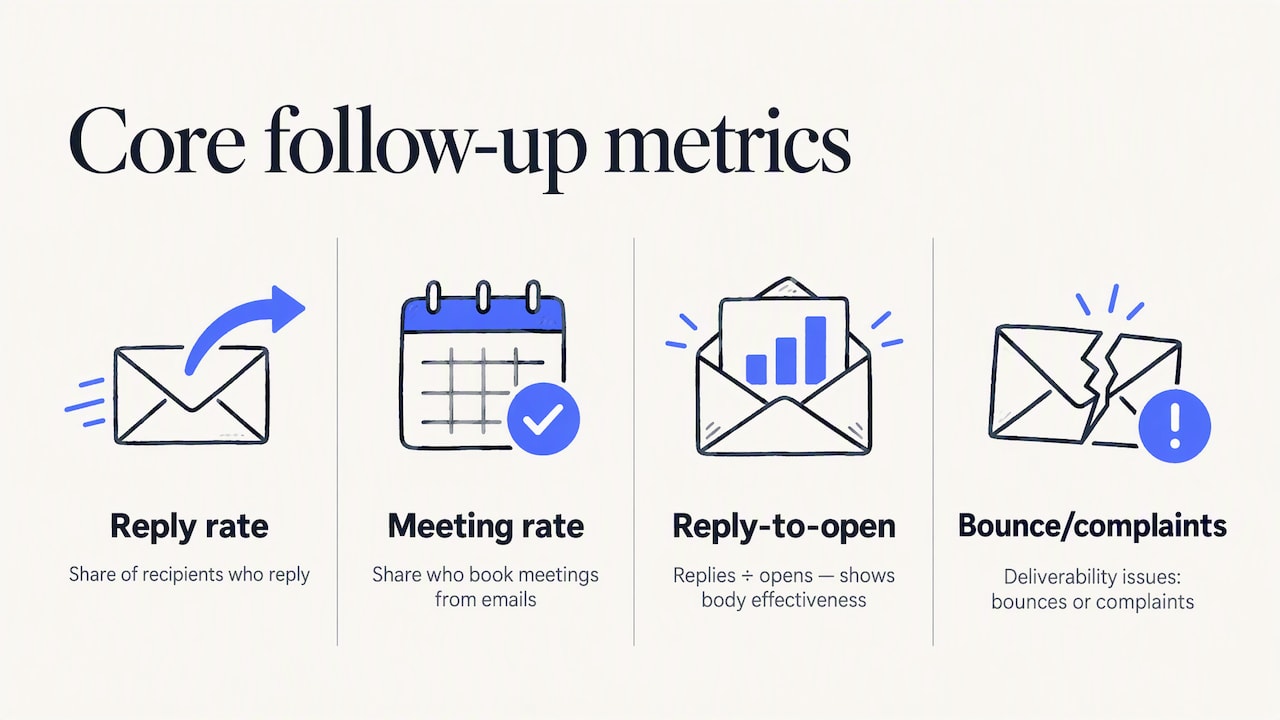
Track reply rate, meeting rate, reply-to-open ratio, and bounce or complaint rates as your core metrics. Reply-to-open tells you whether the body of the email is working once it gets opened, which matters more than open rate alone since opens can be inflated by subject lines that don’t match the content.
Run small experiments rather than overhauling a sequence all at once: test one subject line against another with the body held constant, test a three-day gap against a five-day gap for the first follow-up, or test a bump against a value-add at the same position in the sequence. Give each test enough volume to produce a meaningful difference before declaring a winner, then scale the version that lifts replies rather than the one that only lifts opens. A sequence that improves reply-to-open but drops meeting rate usually signals a mismatch between the message and the actual offer, worth revisiting before you scale volume further. The best practices deep dive covers additional benchmarks if you want to compare your numbers against broader patterns.
Copy-ready templates for common follow-up scenarios
These are built to paste and personalize, not to send word for word.
- Quick bump, use at days 3 to 5: “Circling back on my note below, still worth a two-minute look? Happy to send a shorter version if that’s easier.” Personalize with [first name] and [specific ask].
- Value-add, use at days 10 to 14: “Saw [recent company event], thought this might be relevant: [one new datapoint or resource]. Worth a quick chat?” Personalize with [trigger event] and [specific resource].
- Meeting recap, use right after a call: “Good talking today. Next step on my end: [action]. On yours: [action]. Still on track for [date]?” Personalize with [specific commitments].
- Social proof snippet, use at days 21 to 28: “A team similar to [prospect’s company] saw [result] after making this change. Want the short version of how?” Personalize with [comparable company type] and [result].
- Breakup, use at days 30 to 45: “I’ll take this as a sign the timing’s off. Want me to check back next quarter, or should I close the loop here?” Personalize with [timeframe].
Keep edits minimal: swap the bracketed tokens, adjust tone to match your voice, and avoid adding extra sentences that dilute the point of each message. More scenario-specific variations live in the B2B response rate playbook.
Balancing automation with a human touch
Automation earns its place in sequencing, scheduling, and analytics, work that doesn’t benefit from a human doing it by hand. Where human judgment still wins is the first line of a high-value account’s email and the decision about when to add a LinkedIn touch or a phone call alongside the sequence. A brief connection request before your second follow-up often lands better than another email alone, particularly for accounts worth a slower, multi-channel approach. The sequence framework matters less than the judgment behind each touch.
— Yaro
How PlusVibe helps you scale compliant, high-reply follow-ups
Everything in this guide works better with infrastructure that keeps your sequences out of spam folders in the first place. We built PlusVibe around private, non-shared sending infrastructure and a managed warm-up engine so your follow-ups reach inboxes instead of getting throttled by shared-IP reputation problems.
- Private warm-up and deliverability monitoring protect sender reputation as you add more follow-up touches to a sequence.
- Sequencing and automation handle the widening-interval cadence described above without manual scheduling.
- AI-powered personalization pulls the role, company, and activity signals that make a one-line personalization tactic scale across a full list.
- Analytics track reply rate and reply-to-open so you can run the experiments this guide recommends without stitching together spreadsheets.
If you want to check inbox placement before launching a new sequence, our Placement Test plans start at $19 per month. For teams ready to put the full sequencing and warm-up system to work, compare plans here and start with a free trial.
FAQ
How to politely follow up on a cold email?
Keep it short, reference the original email without repeating it in full, and give the recipient an easy way to respond or decline. A line like “still worth a two-minute look, or should I close this out?” respects their time while leaving the door open.
How to write a follow-up email to a follow-up email?
Treat the second follow-up as a value-add rather than another reminder: include one new piece of information, a relevant resource, or a specific result rather than repeating the original ask. This keeps the message useful even if the prospect has already seen two prior emails from you.
How long after a cold email should I follow up?
A common pattern sends the first follow-up at 3 to 5 days, the second at 7 to 14 days, and later touches with even wider gaps through day 30 to 45. Widening the intervals as the sequence progresses tends to support better deliverability than a fixed, equal-spaced schedule.
What is the 30/30/50 rule for cold emails?
This isn’t a standardized industry framework, and definitions vary depending on the source. If you’ve seen it referenced, it’s worth checking the original source’s specific context rather than treating it as a universal rule, since no consistent definition is widely documented.
Do cold email follow-ups need an unsubscribe link?
Yes, every commercial email including follow-ups must include a clear opt-out method under the CAN-SPAM Act, and opt-out requests must be honored. Labeling a promotional follow-up as a “check-in” or “account update” does not remove this requirement.
Sources
- CAN-SPAM Act: A Compliance Guide for Business | Federal Trade Commission
- Email cadence strategies that work — Canto blog
- Stages of prospecting with cold email — LinkedIn top content