A dedicated IP is a sending address that only you use, so your sender reputation is built, and damaged, by your own mail alone. For agencies, outbound sales teams and any sender whose pipeline depends on the inbox, that isolation is the main reason to want one: nobody else’s list, complaints or bad week can pull your placement down. It only pays off when you send steadily, warm the IP up gradually and keep your lists clean. This guide covers all three, plus how to tell whether the IP is helping.
Key Takeaways
- A dedicated IP gives you sole control of IP reputation. No other sender can hurt it, and none can lift it either.
- It works best with high, steady volume. Spiky or very low volume leaves the IP without enough history for mailbox providers to judge.
- A new IP starts with no reputation, so volume has to ramp over weeks, beginning with your most engaged recipients.
- An IP does not repair a damaged domain or a dirty list. Authentication, list quality and engagement still decide placement.
- For agencies, one dedicated IP per client keeps one client’s mistake away from the others.
Table of Contents
- What a dedicated IP for email actually is
- Shared vs. dedicated IP: the practical differences
- The benefits of a dedicated IP for outbound teams
- When a dedicated IP makes sense, and when volume is too low
- How to warm up a dedicated IP
- Protecting the IP once it is warm
- How to tell whether your dedicated IP is helping
- What it takes to get a dedicated IP
- What we do about it at PlusVibe
- Our view on dedicated IPs
- FAQ
- Sources
What a dedicated IP for email actually is
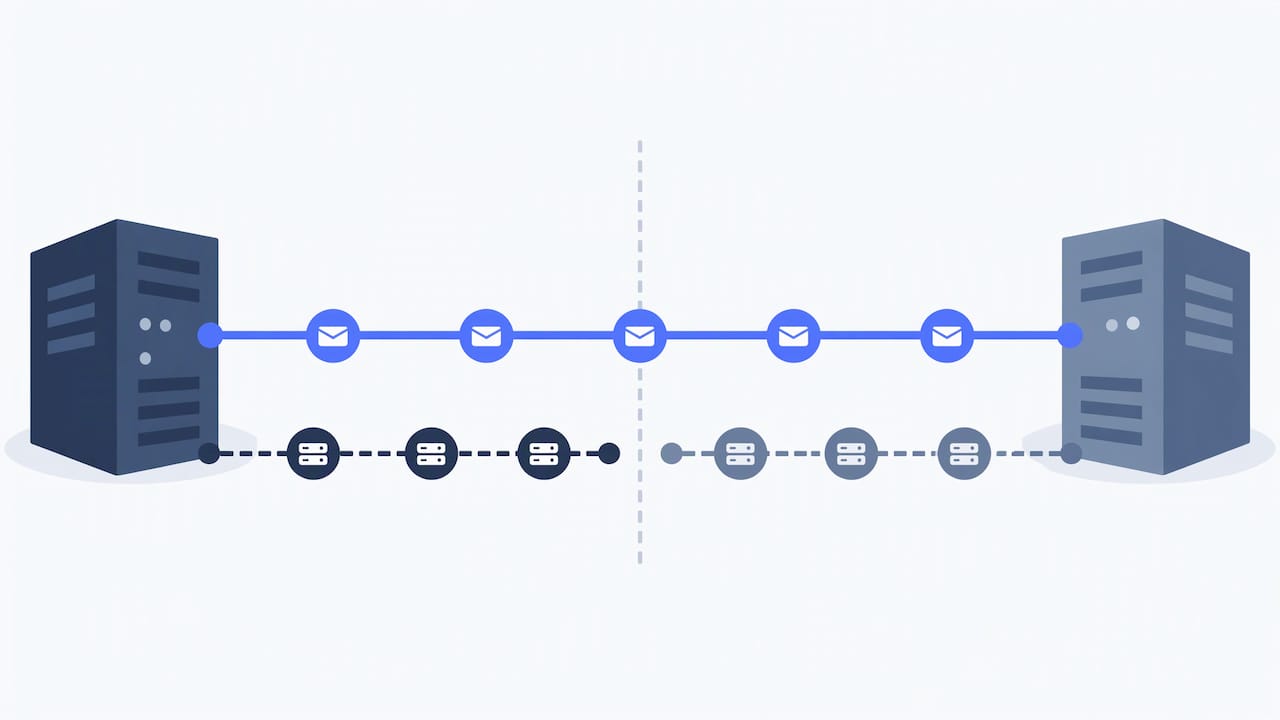
Every email leaves a server with an IP address, and mailbox providers such as Gmail and Outlook keep a running opinion of each address. A dedicated IP is one you use exclusively, without sharing it with other senders. Its reputation then combines with your domain reputation and your recipients’ engagement to form your overall sender reputation.
On a shared IP, the opposite is true. A shared IP’s reputation is a composite of every sender on the pool, which is why it is the default for senders without enough volume to build a reputation of their own. A dedicated IP’s reputation is determined entirely by your own list quality, engagement, bounce rate and complaint rate.
It helps to separate two layers:
- The IP: the numeric address your mail comes from. It carries its own history and can appear on blocklists.
- The domain: the address after the @ in your sending mailbox and the domain in your links. It carries reputation too, and that reputation follows you wherever you send from.
Both are judged together. Which is why the rest of this guide keeps returning to the same point: the IP is one input, not the whole verdict.
Shared vs. dedicated IP: the practical differences
| Shared IP | Dedicated IP | |
|---|---|---|
| Who sets the reputation | All senders on the pool | Only you |
| Start-up | Ready immediately | Needs a warm-up period |
| Effect of other senders | Good and bad ones both count | None |
| Volume pattern it suits | Low or irregular | High and steady |
| Diagnosing problems | Hard to isolate the cause | Only your mail is on the IP |
A few points in that table deserve detail.
Control. With a dedicated IP, no other sender can affect your reputation, but none can boost it either. You get the credit for good practice and the consequences of bad practice. For a team that already runs clean lists, that is a fair trade.
Start-up. Amazon’s documentation says shared IPs are ready to use immediately, while standard dedicated IPs require warm-up and a consistent sending pattern. A new dedicated IP has no history, so mailbox providers treat it with caution until it earns trust.
Diagnosis. Klaviyo’s help center notes that when deliverability problems occur on a dedicated IP, only your messaging is on the IP, so the cause is easier to identify. On a shared pool you can lose placement for reasons you never see.
Speed. One sender’s guide explains that on a dedicated IP messages go out immediately, while on a shared IP high-volume sends are queued with other senders’ messages. If you send in large daily batches, that queue matters.
The benefits of a dedicated IP for outbound teams
The general benefits above matter for newsletters. For cold outreach, the same properties become more important, for three reasons.
You control the one variable you can control
Cold email lives close to the line mailbox providers watch. Reply rates are modest, and some recipients will always hit the spam button. When your IP is shared, your complaints are added to everyone else’s. When it is yours, you can see the effect of each change you make: a tighter list, a shorter sequence, a different send time.
Problems stay contained
If you run campaigns for several clients, a single sloppy list can poison the sending reputation that every other client relies on. Separate infrastructure per client puts a wall between them. On our Agency plan, each client gets its own sending server and dedicated IPs, so one client’s mistake never touches another’s reputation.
Volume becomes predictable
Once an IP has a steady track record, providers expect your pattern and are less suspicious of it. That is the opposite of a shared environment, where your throughput depends partly on what the neighbors are doing that day.
When a dedicated IP makes sense, and when volume is too low
The rule of thumb in most provider documentation is volume plus consistency. Amazon recommends shared IPs unless you send large volumes on a regular, predictable basis. It also explains that most ISPs track an IP’s reputation only if they receive a significant volume of mail from it. Its guidance for cultivating reputation at each ISP is to send several hundred emails within a 24-hour period at least once per month.
In practice, a dedicated IP fits when:
- You send tens of thousands of emails a month or more, and the pattern is steady week to week.
- You manage several clients or brands whose reputations must stay separate.
- Your domains are authenticated and your lists are verified before sending.
- You can watch reputation signals regularly, or have a platform that does.
It fits less well when you send a few hundred emails a month or in rare, large bursts. A cold IP that sends in bursts never builds the history that makes it valuable. In that case a shared pool, with its established reputation, is how senders usually start. Once your volume grows and levels out, moving to your own address is the natural next step.
One more caution, and an important one. A new IP does nothing for a damaged domain. Reputation signals such as DKIM, DMARC and List-Unsubscribe sit at the domain level, and a domain’s reputation travels with you when you change providers, while IP reputation resets. If your domain is the problem, fix the domain first.
How to warm up a dedicated IP
A fresh IP is neither good nor bad. As Crisp’s documentation puts it, mailbox providers judge a new IP using domain authentication, list quality, engagement, bounces and complaints. Warm-up is how you supply good evidence on all of them.
Step 1: Authenticate before you send anything
Set up SPF, DKIM and DMARC for the sending domain. Mailjet’s guidance is to confirm the domain has a healthy reputation and an active website, and that SPF and DKIM are configured, before warm-up begins. DMARC is recommended on top.
Step 2: Start with the people most likely to engage
Klaviyo advises that during warm-up you should focus on your most engaged subscribers to build reputation and reduce blocklist risk. In cold outreach, the equivalent is your best-fit, freshly verified prospects. Run the list through email verification first so early bounces do not define the IP’s first impression, and review the steps in our guide to list hygiene.
Step 3: Ramp gradually and only while results look healthy
Crisp recommends doubling volume every three to four days only if delivery looks healthy, and pausing or reducing sending if policy blocks, bounces or complaints rise. As arithmetic only, starting at 50 emails a day and doubling every three to four days gets you to roughly 3,200 a day after about three weeks. A target of tens of thousands a day takes longer. Our guide to ramping up sending without hurting deliverability covers how to pace the increase.
Mailbox warm-up is a related but separate job. If you are also bringing new inboxes online, see how to warm up a new inbox or domain.
Step 4: Warm every provider in parallel
A practitioner write-up from a warm-up service argues that warming Gmail first and adding Microsoft later produces great Gmail placement and poor Outlook placement when full volume arrives. Spread volume across providers in proportion to your real recipient mix from the first week.
Step 5: Keep the pattern steady afterward
Warm-up does not end on a date. Going quiet for months and then resuming at full volume can make providers treat the sender as new again. A consistent weekly pattern is part of the reputation.
Protecting the IP once it is warm
A warm IP is an asset you can lose quickly. Three habits matter most.
Clean data. Bounces and spam-trap hits do more damage to a fresh reputation than almost anything else. Verify addresses before sending and remove non-responders on a schedule. If your problem is finding fresh, relevant contacts in the first place, this piece on growing an email list covers the sourcing side of reputation.
Relevant messages. Complaints are the fastest route to the junk folder. Write to people with a reason to care about what you offer, and make opting out easy.
Steady volume. Avoid sudden spikes. A jump from a trickle to a flood looks like compromised infrastructure, which is exactly what filters are built to catch.
How to tell whether your dedicated IP is helping
No single number tells you. Use several signals together.
- Microsoft SNDS reports IP-level data for Outlook and Hotmail, including complaint rate and spam trap hits. Amazon’s documentation lists the SNDS metrics for dedicated IPs, including trap hits: messages sent to accounts that do not solicit mail and are very likely to be spam. ActiveCampaign points out that SNDS traffic is visible only when you use a dedicated IP, and that its color indicator does not correlate directly to inbox placement. A green IP can still land in spam.
- Google Postmaster Tools covers Gmail. Note that Google has changed it: Iterable reports that Postmaster Tools v2 dropped the old domain and IP reputation dashboards in favor of a deliverability analysis with a recommended next step, plus spam rate and delivery error views.
- Your own bounce and reply data. A rising bounce rate or a falling reply rate on the same list is often the earliest warning.
- Where mail really lands. Dashboards estimate. Seed tests, which send real messages to test inboxes at Gmail, Outlook and other providers, show the folder each one reached.
Our article on checking email sender reputation walks through the tools in more detail, and the deliverability best practices cover the habits that keep results stable.
When a signal turns bad, pause the affected sending, find the cause, fix it, and resume slowly. Crisp’s principle applies: it is easier to build a clean reputation slowly than to repair a damaged one.
What it takes to get a dedicated IP
Availability depends on the provider. Some require a minimum plan and review your expected volume, sending frequency, consent practices and past reputation before assigning one. Others offer it as an add-on. Either way, expect a conversation about your volume, because an IP without enough steady mail behind it has little to gain.
For outbound teams, the practical choice is whether to assemble this yourself (IPs, servers, mailboxes, DNS, warm-up and monitoring) or to use a platform where the infrastructure is part of the product.
What we do about it at PlusVibe
PlusVibe is a cold email platform built for deliverability at high volume. On the Agency plan, which starts at $497/month for 500,000+ emails, each client gets its own sending server and dedicated IPs. Done-for-you Google Workspace, Microsoft 365 and Azure mailboxes are available too, from $4 per month per Google Workspace inbox. There is no fee per connected mailbox.
Mailboxes warm up in a private pool that every customer shares: a mix of Google, Microsoft and quality SMTP inboxes, with bad senders removed and every inbox re-checked over time. Its peak warm-up bounce rate has never exceeded 0.1%. Seed tests then show where your real campaign emails land at Gmail, Outlook and other providers.
If you want to see the placement results before committing to infrastructure, the 14-day free trial needs no credit card, and the details of every plan are on the plans page. The deliverability overview explains how the pieces fit together.
If you would rather not set up mailboxes and DNS yourself, the done-for-you email setup is available at $1,500 per month.
Our view on dedicated IPs
We built PlusVibe around one idea: the inbox is decided before you hit send. A dedicated IP is a big part of that decision, because it turns reputation from something you share into something you own.
The agencies we build for run many clients at once. For them, isolation is the point. One client’s list, one client’s complaint rate, one client’s bad week should never become another client’s problem. That is why each client on the Agency plan gets its own sending server and dedicated IPs.
But an IP is infrastructure, not a shortcut. Reputation still comes from relevant messages, verified lists, steady volume and honest outreach. We hold to a simple code: relevant, honest, respectful, measured.
And we believe in receipts over vibes. Do not trust a score on a dashboard. Look at where your real emails land, and judge us on placement.
Yaro
FAQ
Is a dedicated IP better than a shared IP for cold email?
For steady, high-volume outreach, yes. A dedicated IP gives you sole control over IP reputation, so other senders cannot drag it down, and any problem is easier to trace because only your mail is on it. A shared IP is ready immediately, which suits senders who are just starting or sending low volumes.
How long does a dedicated IP take to warm up?
Provider schedules vary, but most run for several weeks. Zoho’s documentation says a dedicated IP requires a warm-up over several weeks because ISPs treat unfamiliar IPs with caution. Higher target volumes take longer, and you should slow down whenever bounces or complaints rise.
Will a dedicated IP fix a bad sender reputation?
No. Domain reputation and recipient engagement still count even on a dedicated IP, as Klaviyo’s help center explains. The IP is one input among several. Authentication, list quality and relevant messaging do the repair work.
How much volume do I need for a dedicated IP?
There is no universal number, but the principle is steady, predictable volume. Amazon’s guidance points to large, regular volumes, with several hundred emails a day to each provider at least monthly to keep a reputation alive. If your volume spikes and dips, a cold IP may struggle to build history.
Can agencies give each client a separate dedicated IP?
Yes, and it is the safest way to keep client reputations apart. On PlusVibe’s Agency plan, each client gets its own sending server and dedicated IPs, so one client’s mistake never touches another’s reputation.
Sources
- What is a dedicated IP in marketing? (Klaviyo)
- Understanding dedicated vs. shared IPs (Klaviyo Help Center)
- Shared IP vs. Dedicated IP Address (Zoho Campaigns Help)
- Dedicated vs. shared IPs for email: when to use each? (Postmark)
- Dedicated IP addresses for Amazon SES
- SNDS metrics for dedicated IPs (Amazon SES)
- Shared or dedicated IP configuration (GetResponse)
- Sender Reputation knowledge base (InboxAlly)
- How to setup the Crisp Dedicated IP
- Dedicated IPs: What They Are and How to Warm Them Up (Mailjet)
- IP Warmup Engagement (BIG BOX)
- Tools for monitoring deliverability (ActiveCampaign)
- Google Postmaster Tools: Guide & Insights (Iterable)
- How to grow an email list: Proven strategies for 2026