To increase reply rates, fix things in this order: make sure emails reach the inbox, send them to the right people, write a short message with one clear ask, then follow up in a sequence of 3 to 5 touches. Most teams start with copy. The bigger gains usually sit earlier in the chain, in the list, the sending setup and the offer.
This guide walks through that order, with ways to measure reply rate honestly, a worked testing routine and the deliverability limits that keep a higher-volume program healthy.
Key Takeaways
- Define reply rate before you chase it: count real human replies, exclude auto-responders, and always name the denominator.
- Check list quality, bounces and inbox placement before rewriting copy. A message nobody sees cannot earn a reply.
- Keep the email short, introduce yourself fast, personalize on something real and ask for one small next step.
- Run a 3 to 5 email sequence with a different angle in each message, and change one variable at a time.
- Scale volume slowly and watch spam complaints, because inbox providers set hard thresholds.
Table of Contents
- What reply rate actually measures
- Fix deliverability before you touch the copy
- Target the people who can say yes
- Write the email so it is easy to answer
- Build a follow-up sequence
- Scale volume without hurting reply rates
- Test one thing at a time
- Put the system in one place
- Frequently asked questions
- Sources
What reply rate actually measures
Reply rate is the share of contacted people who answer. The standard formula is replies divided by contacts, and Metabase’s metric guide recommends excluding auto-replies and out-of-office messages. It also names the usual mistakes: counting auto-replies as replies, mixing person-level and message-level rates, and judging a campaign before all contacts have had time to respond.
The denominator matters more than most teams admit. OutboundWiki’s guide points out that the same campaign can look like a 5% reply rate measured against openers and 0.45% measured against total sends. Neither number is wrong. They answer different questions, and comparing your figure with someone else’s only works if you both divide by the same thing.
Pick one definition and keep it:
| Metric | Numerator | Denominator | Best used for |
|---|---|---|---|
| Contact reply rate | Unique people who replied | Unique contacts reached | Judging a list and offer |
| Delivered reply rate | Human replies | Emails delivered | Judging copy and sequence steps |
| Positive reply rate | Interested replies | Contacts reached | Judging pipeline, not just noise |
Track positive replies separately. A reply that says “remove me” lifts your reply rate and hurts your results. Sort replies into interested, not now, wrong person and unsubscribe, and read each step of the sequence on its own. For help with the inbox side, see our guide on managing cold email replies without losing deals.
Fix deliverability before you touch the copy
OutboundWiki advises checking list quality, delivery, targeting and message fit before concluding that wording caused a low reply rate. That order saves weeks. If emails land in spam, no subject line will rescue them.
Start with these checks:
- Bounce rate. A scraped, unverified list pushes bounces up and damages your sender reputation. Verify addresses before sending. Our email verification feature does this inside the platform, and there is a free email verification tool for a quick list check.
- Authentication. Google’s sender rules call for a DMARC record, one-click unsubscribe on marketing and promotional mail, and honoring unsubscribe requests within 48 hours, according to its email sender guidelines FAQ.
- Spam complaints. The same page tells senders to keep the user-reported spam rate below 0.1% and never let it reach 0.3% or higher. Cold outreach lives close to that line, so a relevant list and an easy opt-out are protection, not formalities.
- Warm-up. A new domain or inbox needs a gradual ramp. Read how to warm up a new inbox or domain before your first campaign.
- Open-rate caution. Privacy software can inflate or hide opens, so OutboundWiki warns against leaning on open rate alone. Use replies and inbox placement tests as your main signals.
If you want to see where your messages actually land, an inbox placement test shows the split between inbox, promotions and spam across providers. Placement tests on our plans start at $19 per month.
Target the people who can say yes
Reply rate is mostly a targeting problem dressed up as a copywriting problem. A well-written email to the wrong job title still gets ignored.
Build a tight list
Write down the buyer in one sentence: role, company size, trigger and the problem you solve for them. Then build the list against that sentence, not against whatever a database can export. A smaller list of 300 people who match beats 3,000 who loosely do.
Useful signals for tight lists:
- A role that owns the problem (for example, head of sales for a pipeline problem).
- A recent event: a hire, a funding round, a product launch, a new office.
- A tool or process the prospect visibly uses.
- A company size where your offer fits without custom work.
If you collect prospects from LinkedIn or the web, our Chrome extension and lead scraping tools gather them in one place, and enrichment fills in details so you can segment before you send.
Personalize with substance
A 2025 academic paper in the Journal of Business and Entrepreneurial Studies, “Economics of cold emailing”, reports that an email under 150 words, with the sender introduced within the first 3 seconds of reading, raised the response rate from 17% to 44%. It also reports that personalizing with name, company and location lifted the rate to 58% for non-patient buyers. Those are the paper’s findings from its own sample, and your numbers will differ, but the direction is clear: short, quickly identified and personal.
Personalization has levels:
| Level | Example | Effort |
|---|---|---|
| Token | First name, company | Automatic |
| Segment | A line written per industry or role | Low |
| Specific | A reference to a post, a hire or a product page | Medium |
Use segment-level lines for the bulk of your list and specific lines for your top accounts. Our personalization features let you merge custom fields so each segment gets its own opener without hand-editing every email.
Write the email so it is easy to answer
A reply costs the reader effort. Your job is to make that effort small.
Subject line
Keep it short and plain, close to how a colleague would write. Avoid hype, all caps and clickbait, which attract spam filters and skeptical readers alike. A subject that names a relevant topic, such as “pipeline reporting at Acme”, reads like a real message. Test two versions at a time and judge them by replies, not opens.
Opening line
Say who you are and why you are writing in the first sentence. The academic study above ties fast introduction and brevity to better response. If you reference something about the prospect, make it a fact you could not get from a template.
Body
One problem, one proof point, one ask. A workable shape:
- A line about their situation.
- One sentence on what you do and the result it produces.
- A small, specific proof point, such as a similar company type.
- A single question.
Cut every sentence that does not serve those four jobs. If you need more than about 100 words, the offer is probably not yet clear.
Call to action
Ask for something easy: “Worth a quick look?” or “Is this on your radar this quarter?” beats “Can I book 30 minutes on your calendar?” in a first message. Offer one next step only. Two options split attention, and a link to a calendar in a first email can feel presumptuous.
A before and after
Before: “Hi, I’m reaching out because our company offers an award-winning all-in-one solution that helps businesses grow. We’d love to schedule a call to walk you through a demo. Let me know your availability.”
After: “Hi Dana, saw your team is hiring three SDRs. Teams ramping outbound that fast often run into inbox placement problems around week four. We help sales teams keep new sending domains healthy. Worth a quick look?”
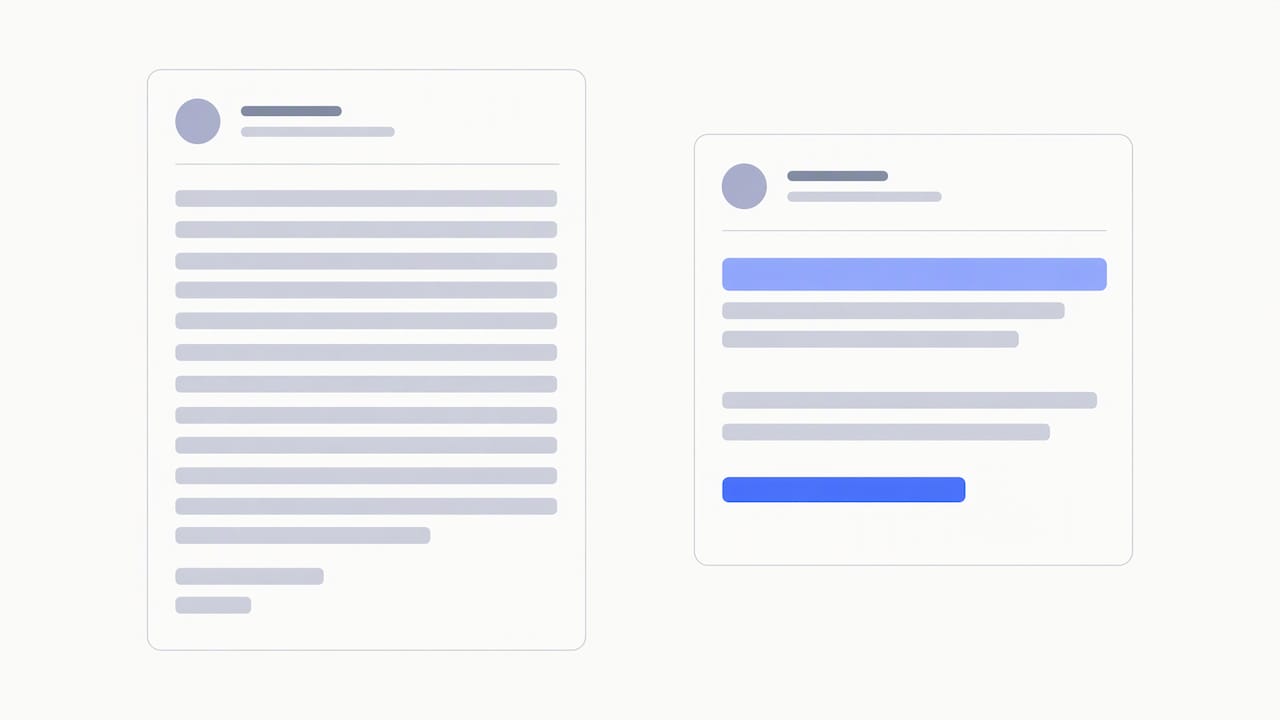
The second version is about 40 words, names a real trigger and asks one low-friction question. Our own post on why prospects ignore cold emails goes deeper on the patterns behind silence.
Build a follow-up sequence
Most replies do not come from the first email. A common pattern is a sequence of 3 to 5 emails spaced two to four business days apart, each taking a different angle, as described in Referral Earl’s sequence guide. The same guide notes that a short final “breakup” message often draws some of the highest replies in the sequence.
A simple structure:
| Step | Day | Angle |
|---|---|---|
| 1 | 0 | Trigger plus one clear question |
| 2 | 3 | A proof point or short case |
| 3 | 6 | A different pain point or a useful resource |
| 4 | 10 | A direct, brief check-in |
| 5 | 14 | Breakup: permission to close the loop |
Do not resend the same text with “bumping this up”. Each touch should give the reader a new reason to answer. If you want ready-to-use wording, see our follow-up examples you can paste and send and five follow-up templates. Stop the sequence the moment someone replies, and set automation rules so that happens without manual work.
Timing also matters, but treat it as a late-stage test. Send during the prospect’s business hours in their time zone, and compare weekdays only after the offer and list are solid.
Scale volume without hurting reply rates
Sending more is the most tempting way to get more replies, and the fastest way to lose them. Spam complaints and bounces drag every later message down with them.
Practical guardrails:
- Spread volume across several inboxes and domains instead of pushing one inbox hard. A common guideline from Tacticalism’s scaling guide is a ceiling around 50 emails per day per inbox, with weekly volume increases of 20 to 30% at most.
- Keep bounce rate low, ideally under 1%, and complaints far below Google’s 0.1% guideline.
- Rotate inboxes so no single sender carries the whole load.
- Keep sending infrastructure separate from your main business domain.
Our platform is built around this: private warm-up, isolated sending infrastructure, dedicated connector IPs and inbox rotation, so high-volume senders can spread load and monitor placement. Inboxes can be provisioned too: Google Workspace is $4 per month per inbox and Microsoft 365 is $4.50 per month per inbox.
It also helps to think about the full funnel. Cold email is one channel, and teams that grow a healthy owned audience alongside it get warmer replies. These proven strategies to grow an email list pair well with outbound.
Test one thing at a time
Many teams see a low reply rate and rewrite the whole email at once. OutboundWiki recommends first ruling out a scraped list, a bounce rate above 3% and distorted open data. After that, test like this:
- Set a baseline: at least 200 to 300 contacts per variant in the same segment.
- Change one variable: subject, opener, offer or call to action.
- Send both versions at the same time to similar lists.
- Wait until every contact has had the full sequence before judging, as Metabase warns about incomplete cohorts.
- Compare positive reply rate, not just total replies.
- Keep the winner, record the result and test the next variable.
A log with date, segment, variant, denominator and result keeps the team honest. After a quarter, you will know which segments and offers carry your pipeline.
Our view on reply rates
We see the same pattern across outbound programs: teams blame the copy when the problem is upstream. A message that lands in spam, goes to an unverified address or reaches the wrong role will never get answered, however clever the subject line is.
That is why we built PlusVibe around the sender first. Private warm-up, isolated infrastructure, dedicated connector IPs and deliverability monitoring are designed to give your emails the best chance of being seen. Verification, enrichment and personalization then help you reach the right person with something relevant.
Our advice is simple. Protect your sender reputation, keep the list tight, write short and specific emails and follow up with intent. Reply rate follows.
Yaro
Put the system in one place
If you are juggling a scraper, a verifier, a warm-up tool and a sequencer, a lot of reply rate is lost in the gaps. PlusVibe brings prospecting, verification, enrichment, personalization, sequencing, inbox rotation and reply management together, with a free trial to start. Plans include Personal at $37-$58 per month, Business at $77-$220 per month and Agency from $497 per month. See all plans for what each tier includes.
If you would rather not configure domains and inboxes yourself, our done-for-you email setup is available at $1,500 per month.
Frequently asked questions
What is a good cold email reply rate?
It depends on the denominator, the list and the offer, so compare only like with like. Some guides cite healthy targets above 3% of delivered emails, while large datasets of strict cold outreach to net-new contacts show far lower averages. Track your own baseline by segment and improve against that.
How long should a cold email be?
Short enough to read in seconds. A 2025 study in the Journal of Business and Entrepreneurial Studies associated emails under 150 words with a much higher response rate. In practice, aim for 50 to 100 words with one question at the end.
How many follow-ups should I send?
Three to five emails in total, spaced two to four business days apart, is a common and sensible range. Give each message a new angle and end with a short breakup note. Stop the sequence as soon as someone replies.
Why is my reply rate low even with good copy?
Look upstream first. A high bounce rate, a scraped list, poor inbox placement or the wrong audience will suppress replies regardless of wording. Verify your list, check placement and confirm your targeting before changing the message.
Sources
- Reply Rate: Definition, Formula & How to Track It (Metabase)
- Reply rates (OutboundWiki)
- Economics of cold emailing (Journal of Business and Entrepreneurial Studies)
- Email sender guidelines FAQ (Gmail Help)
- Cold Email Sequence That Books Meetings, Not Spam
- How to Scale Cold Email Without Killing Deliverability
- How to grow an email list: Proven strategies