Manual email warm-up means you build a new mailbox’s sending reputation yourself. You send a few real messages to people who will open and answer them, then raise volume in small steps over several weeks. It works, and it costs nothing but time. The catch is discipline: you have to send every day, reply to every message, and watch your numbers before each increase. This guide gives you the full routine, a week-by-week plan, the warning signs, and a clear point at which to hand the repetitive part to software.
Key Takeaways
- Manual warm-up is a gradual ramp: start with a handful of emails a day to engaged contacts, then expand in small steps while mailbox providers learn your pattern.
- Authentication (SPF, DKIM, DMARC), a clean list and a real signature come before the first warm-up email, not after.
- Watch spam rate, hard bounces and replies. Pause and drop volume the moment they slip, then rebuild.
- Two to four weeks of consistent sending is a sensible window before cold outreach, and a single mailbox should never jump straight to hundreds of sends.
- When you run many inboxes, manual warm-up stops scaling, and automated warm-up is the practical next step.
Table of Contents
- What manual email warm-up actually does
- What to set up before you send anything
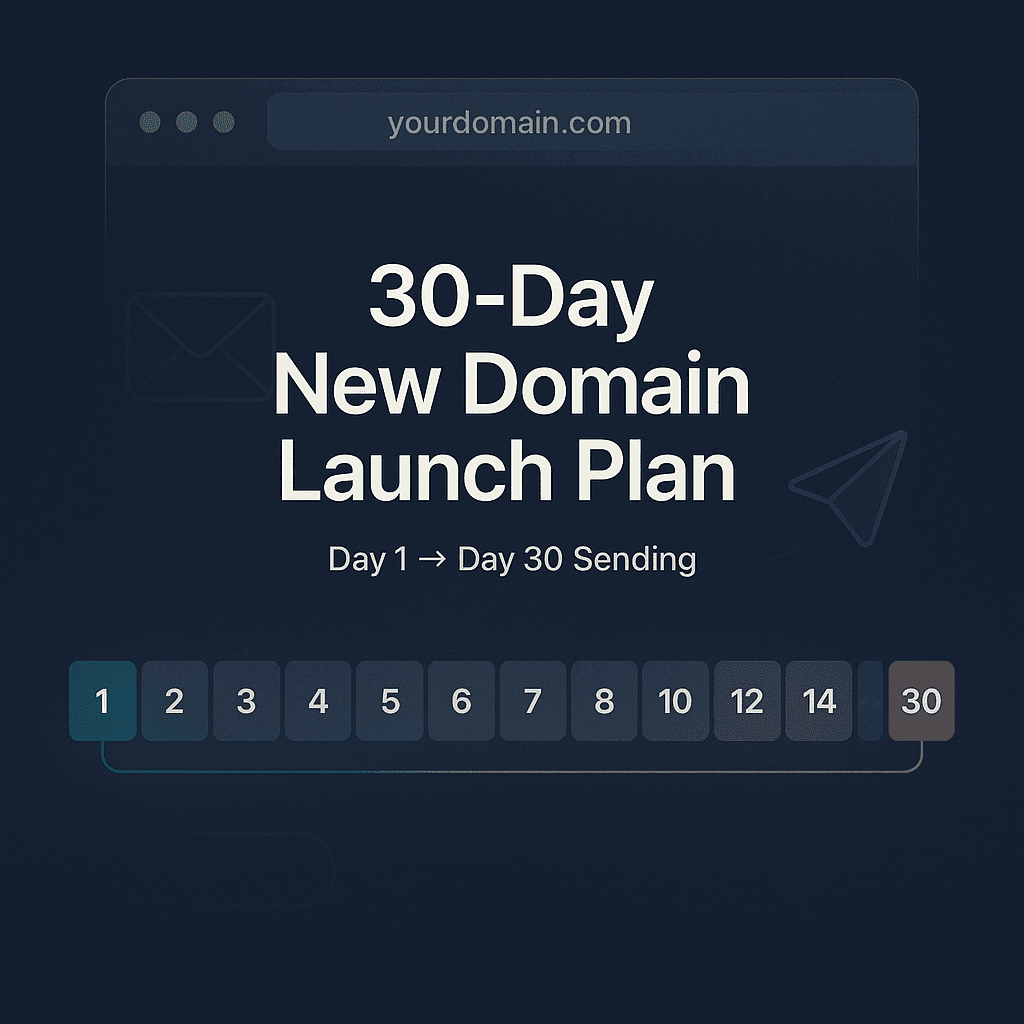
- A week-by-week manual warm-up plan
- What to send, and what engagement helps
- The signals to watch, and when to pause
- Common mistakes that undermine manual warm-up
- Where manual warm-up stops making sense
- Automating the routine with PlusVibe
- Frequently asked questions
- Sources
What manual email warm-up actually does
A warmed email account is one that has built a track record. Mailbox providers such as Gmail and Outlook see a new address with no history, so they treat it carefully. Shopify’s help center explains the logic: providers are more likely to defer, throttle or filter a sender with little recent history when volume is large. Starting with your most engaged recipients and expanding gradually gives the provider time to learn how you send.
So warm-up is not a trick. It is a pattern of behavior that looks like a real person using a real mailbox: modest volume, steady rhythm, people who want your mail, and replies that go back and forth.
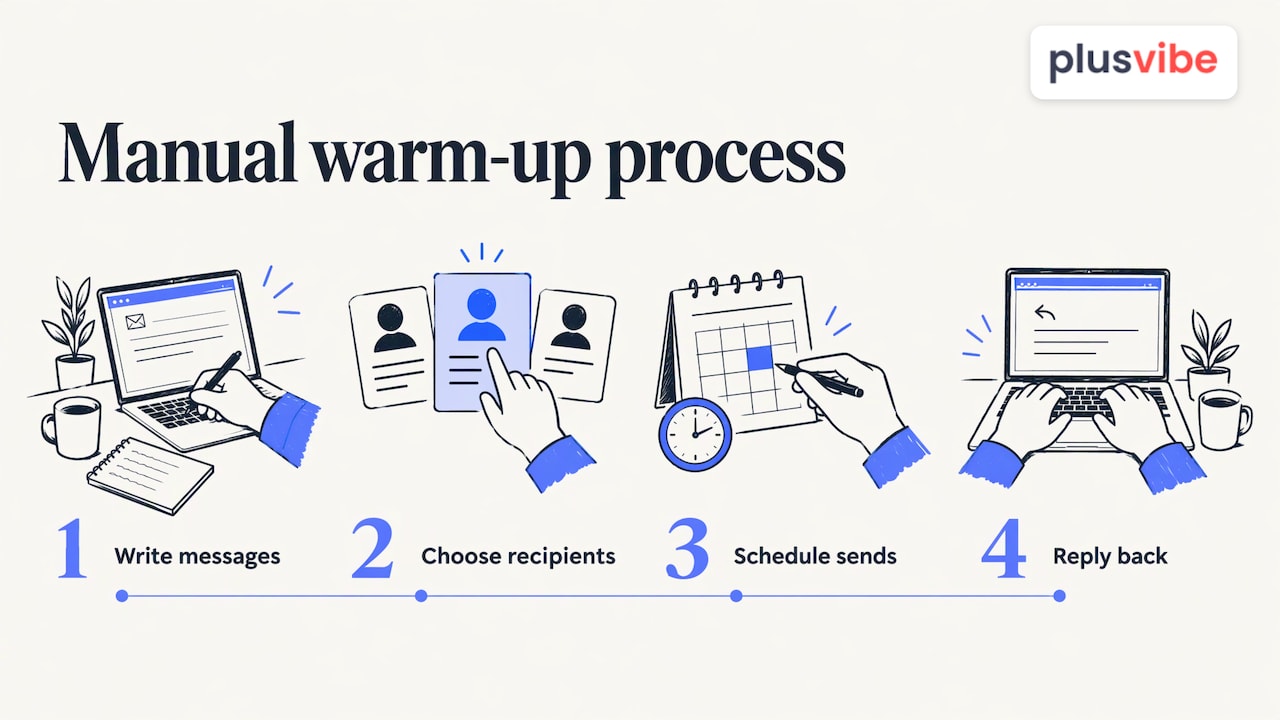
Doing it manually means you create that pattern by hand. You write the messages, pick the recipients, send them on a schedule and answer what comes back. If you want the short definition of a warmed address, see our glossary entry on warm email.
What to set up before you send anything
Most warm-up failures start before day one. Get these in place first.
- A sending domain you can protect. Many teams keep their main company domain for ordinary mail and use a separate, similar domain for outbound, so a problem on one never touches the other.
- Authentication. Publish SPF and DKIM records and a DMARC policy for the domain. Your email provider’s admin console shows the exact records to add.
- A finished mailbox. Add a profile photo, a full name and a real signature. A mailbox that looks like a person is easier for recipients to trust.
- A warm-up list of people who will answer. Colleagues, friends, partners, existing customers who know you and a few contacts on other providers. A mix of Gmail, Outlook and company-hosted addresses gives you signals across providers.
- A clean list for later. Verify every address before it enters a campaign. Bad addresses cause hard bounces, and hard bounces undo warm-up work quickly. Our email verification tools and the free verification checker cover this step.
- A tracking sheet. A simple spreadsheet with date, emails sent, replies, bounces and notes. You will need it to decide when to increase volume.
If you are comparing the work with doing it all in software, the basics of email marketing show how list quality and consistency shape results in every channel, not only cold outreach.
A week-by-week manual warm-up plan
There is no official schedule from Gmail or Outlook. The plan below is a conservative pattern built on the principle above: start small, stay consistent, expand only when your numbers are healthy. Treat the numbers as starting points and slow down whenever something looks off.
| Week | Daily sends (per mailbox) | Who you send to | What you do |
|---|---|---|---|
| 1 | 3 to 5 | Close contacts who know you | Write personal, short messages. Ask a question so people reply. Reply to every answer. |
| 2 | 8 to 15 | Wider circle: partners, customers, colleagues on other providers | Keep conversations going. Move a few messages out of spam if any land there. |
| 3 | 15 to 25 | Same circle plus a few verified, friendly prospects | Begin one low-key outbound message a day to a verified contact. |
| 4 | 25 to 35 | Mostly verified prospects, still some warm replies | Check the tracking sheet. Increase only if bounces and spam placement are near zero. |
A few rules make the table work.
- Send every day, including a light weekend pattern if your audience works weekends. Consistency matters as much as volume. Long gaps make the history look sporadic.
- Increase in steps, not jumps. Raise volume by a modest amount, hold for a few days, then raise again. If you doubled your sends overnight, that is the mistake.
- Stay under your own ceiling per mailbox. When you need more volume, add more mailboxes rather than pushing one hard. This is how high-volume senders spread load.
- Keep warm-up and real outreach separate in your head. The first two weeks are about conversation. Cold messages join gradually and never replace the warm ones.
Our own guides go deeper on pacing: how to ramp up sending without hurting deliverability and how to warm up a new inbox or domain.
What to send, and what engagement helps
The content of warm-up mail matters because the signals come from real behavior: opens, replies, and recipients who do not complain.
Messages that earn replies
Write as you would to a colleague. A two-sentence note with a genuine question gets an answer far more often than a polished announcement. Examples that work: asking a partner for a quick opinion on a draft, checking in with a customer on a recent project, or asking a contact for a recommendation.
Avoid heavy images, long link lists, attachments and promotional language in the early weeks. Plain text with a normal signature looks like the mail people actually exchange.
Replies and threads
A back-and-forth thread is the strongest sign that your mail is wanted. Ask your warm-up contacts to reply, and reply back in turn. Where a message lands in spam, ask the recipient to mark it as not spam and move it to the inbox. If a contact is willing, ask them to star or flag the message too. These are the same actions a real working relationship produces.
Variety without noise
Vary subject lines, lengths and send times a little. Identical messages sent at the same minute every day look automated. Keep the variation natural: a Monday check-in, a Wednesday question, a Friday thank-you.
The signals to watch, and when to pause
Increasing volume is a decision, not a calendar event. Each week, read the numbers before you raise sends.
OneSignal’s deliverability documentation gives a useful set of thresholds: keep spam rate below 0.1%, treat 0.3% as critical, and read hard bounces above 2% as a list-quality problem. It advises pausing scaling when signals degrade and resuming at a lower volume once metrics recover. Those figures are written for bulk and marketing senders, but they make a sensible guardrail for any new mailbox.
Your weekly check:
- Spam complaints. If any recipient reports your mail, find out why. Was the message unexpected? Remove that contact from future sends.
- Hard bounces. Any bounce means an address was wrong. Remove it and re-verify the rest of that segment.
- Replies. Reply rate should hold steady or climb as you widen the circle. A fall suggests the messages feel generic.
- Placement. Send a test to a few personal inboxes on different providers and see whether the message lands in the main inbox, the promotions tab or spam.
- Domain reputation. Your provider’s postmaster tools show reputation trends for the domain. Set them up before you start so you have a baseline.
How to tell you are ready for outreach
A mailbox is ready to carry real cold outreach when all of these are true across two consecutive weeks: you have sent every day, bounces are near zero, spam complaints are zero, test messages land in the inbox, and people are still replying. If one of them fails, hold your volume where it is, fix the cause, and wait another week.

When to pause
Stop raising volume immediately if you see a spam complaint cluster, a bounce spike or messages landing in spam. Drop back to the previous week’s level, use only your most engaged contacts for a few days, and rebuild. The goal is to show the providers a recovery, not to push through.
Common mistakes that undermine manual warm-up
- Skipping authentication. Without SPF, DKIM and DMARC, even a perfect schedule is working against you.
- Jumping volume. Going from ten emails to a hundred in a day is exactly the pattern that gets a new sender throttled.
- Sending only to yourself. Messages between two of your own accounts are a weak signal. Real recipients outside your control carry more weight.
- Warming with a dirty list. A few hard bounces in the first week can set you back further than any amount of replies helps.
- Starting cold outreach on day one. Cold messages get fewer replies and more complaints than messages to people who know you. Add them slowly and only after warm engagement is steady.
- Inconsistent effort. Manual warm-up fails when the owner gets busy and skips three days. Block time on your calendar.
- Ignoring the content. Link-heavy, salesy early messages cancel out the good signals you are trying to build.
- Warming a mailbox, then leaving it idle. A warmed address that goes quiet loses its rhythm. Keep sending at a steady baseline.
Where manual warm-up stops making sense
Manual warm-up is a good fit for one or two mailboxes, a founder starting outbound for the first time, or someone who wants to learn how reputation works. It gets hard quickly when you run five, ten or fifty inboxes. Every mailbox needs its own daily messages, replies, tracking and checks, and each one needs real people on the other end.
The time cost is the main reason teams switch to software. Instead of writing and answering dozens of warm-up messages daily, an automated system handles the sending pattern, the replies and the gradual increase, while you keep an eye on the dashboard. The tradeoffs between approaches are covered in our overview of email warm-up tools, and the logic of automating more of the workflow is explained on our automation page.
Our perspective on warm-up
We built PlusVibe because we saw the same story again and again: a team buys new domains, sends too much too early, and spends weeks recovering a reputation that never needed to be damaged. Manual warm-up teaches the right principles, and we encourage anyone starting out to understand them.
But those principles are exactly what a good system should apply for you. Our approach is private warm-up on isolated infrastructure, with deliverability controls you can see, so your reputation is not tied to strangers’ sending behavior. For teams that run many inboxes, we also offer managed email setup, so the technical groundwork is handled before the first campaign.
The simplest way to think about it: learn the routine by hand, then let the platform repeat it reliably on every inbox, every day, while your time goes to writing better campaigns and talking to prospects.
Yaro
Automating the routine with PlusVibe
Once you understand the routine, PlusVibe can run it for you. The platform includes private email warm-up, inbox rotation, deliverability monitoring and email verification in one place, so the daily work in this guide becomes something you set up once and monitor. You can start with a free trial and see the warm-up feature on your own mailboxes.
Plans start with Personal at $37-$58 per month and Business at $77-$220 per month, and Agency is available from $497 per month. If you would rather skip the technical setup, our done-for-you email setup is available at $1,500 per month. Compare everything on the plans page.
Frequently asked questions
What is a warmed email?
A warmed email account is a mailbox that has built a history of normal, wanted sending. It has sent steady volume, received replies and produced few bounces or complaints, so providers are more comfortable delivering its mail to the inbox.
How long does manual email warm-up take?
Plan on roughly two to four weeks of daily sending before you add real cold outreach, then keep raising volume in small steps. The pace depends on your bounce, complaint and reply numbers, so let the data decide rather than the calendar.
How many emails should I send on day one?
Start with a handful, around three to five, to people who know you and will reply. Starting small and with engaged recipients gives providers time to learn your pattern before volume grows.
Do I still need warm-up if I verify my list?
Yes, they do different jobs. Warm-up builds reputation through positive signals, while verification protects it by keeping bad addresses out of your sends. Using both gives a new mailbox its best start.
Sources
- Shopify Help Center: Email sending volume and warm-up
- OneSignal documentation: Email warm-up
- What is email marketing? Guide to cost-effective growth