If you are searching for missing emails because a prospect list has blank cells, the fix is a fixed routine: find the person’s address from public sources, work out the company’s format, verify the guess, and send only to addresses that pass. Do it in that order and you fill the gaps without sending to addresses that bounce and damage your domain. PlusVibe has a free email finder tool and a verification feature built for exactly this sequence.
This guide is for sales teams, agencies and founders who run outbound. If you are hunting for a message that vanished from your own Gmail or Outlook inbox, jump to the short section on that near the end.
Key Takeaways
- A missing address is rarely missing for good. Public pages, a company’s email format and a verification check recover most of them.
- One known address is only a hint about the format. Two or three addresses from different people on the same domain make a pattern you can trust.
- A “found” address is not a “safe” address. Verify before it enters a campaign, and treat catch-all domains as risky, not valid.
- Bounces cost you reputation, not just a lost contact. The cheapest list is the one with fewer, better addresses.
- Cold B2B email is legal in the US without prior consent, but the CAN-SPAM rules still apply to every message.
Table of Contents
- Why a gap in your list is a deliverability problem
- Step 1: Start with the sources the company already publishes
- Step 2: Work out the company’s email format
- Step 3: Verify the address before it enters a campaign
- Step 4: Decide what to do with uncertain results
- Count coverage, not rows
- The rules you still follow once you have the address
- If it is your own mail that is missing
- What this looks like inside PlusVibe
- Our view: the address is only the beginning
- FAQ
- Sources
Why a gap in your list is a deliverability problem
A blank email cell looks like a data problem. It becomes a deliverability problem the moment someone fills it with a guess. Mailbox providers watch how many of your messages hit addresses that do not exist. A burst of hard bounces tells them you do not know your recipients, and they respond by routing more of your mail to spam, including the mail that goes to real, valid people.
That is why the order matters. Finding is cheap. Sending to a wrong address is expensive, because the cost lands on the domain and mailboxes you rely on for every other campaign. If you manage several clients, one careless fill-in on one list can drag down results you were not even working on, which is why we cover why inbox health beats bigger lists separately.
So treat every blank cell as a small investigation with three stages: source, pattern, proof.
Step 1: Start with the sources the company already publishes
Before you guess anything, look for addresses that are already public. Work from the most reliable to the least:
- The company’s own site. Contact pages, footers, privacy and terms pages, and team or About pages often list personal or departmental addresses. Privacy and legal pages are easy to miss and frequently name a real person.
- Press releases and media pages. Releases usually end with a named press contact and an address. Those give you a real person at the company, even if not your target.
- Social profiles and bios. Some people put a work address in a bio or contact field. Check the current profile, not a cached copy.
- Conference and webinar pages. Speaker and sponsor pages sometimes list contact addresses for the company’s staff.
- Your own history. Old CRM records, past replies and email signatures from the same company are the best source of a real address.
Two habits keep this stage clean. Write down where each address came from, because you will want that if a recipient asks. And check the date: a public address on an old page may belong to someone who has left.
If you collect prospects from LinkedIn or the web, the PlusVibe Chrome extension collects prospect details while you browse, so the source stays attached to the contact. Our guide to LinkedIn email scraping for B2B teams explains why you verify before outreach whatever you collect. For more sourcing ideas, see 12 easy ways to find someone’s email address and how to find company email addresses fast.
Step 2: Work out the company’s email format
When the prospect’s own address is not published, you can often build it. Most companies use one consistent format for staff, such as first.last@company.com. Your job is to find out which one.
The common formats are:
| Format | Example for Jane Smith |
|---|---|
| first.last@ | jane.smith@company.com |
| flast@ | jsmith@company.com |
| first@ | jane@company.com |
| firstl@ | janes@company.com |
| last.first@ | smith.jane@company.com |
Published analyses of work addresses consistently show first.last@ as the single most common format, with flast@ in second place, and the pattern tends to be more dominant at larger companies. Small companies are more mixed, which is why guessing at a five-person startup is less reliable than guessing at a large enterprise.
How much evidence is enough
One address is a hint, not a rule. It could be an alias, an older format kept after an acquisition, or a one-off for an executive. Use this standard instead:
- Two personal addresses following the same rule on the company’s own mail domain are enough to trust the format as a working assumption.
- Three or more, from different teams and different years, make a strong format.
- Shared inboxes such as sales@ or press@ prove the mail domain exists and receives mail. They say nothing about how personal addresses are built.
Where do the examples come from? Your own CRM replies, press releases, public staff contacts and email signatures. Our reference on company email formats and how to verify them lists the patterns in more detail.
A worked example
You need the VP of Operations at a 200-person logistics company, Maria Lopez. Her address is not public. Your sources give you a press contact, tom.reyes@, and a webinar speaker, a.chen@. These two disagree, so you have no rule yet. A third search turns up dana.ortiz@ on a privacy page. Now two of three follow first.last@ and one follows a different style, so you treat first.last@ as the most likely and build maria.lopez@. You do not send it. You move to the proof step.
Step 3: Verify the address before it enters a campaign
Verification is the step that separates a guess from a sendable address. It works in layers, and each layer removes a different kind of risk:
- Syntax check. Is the address written correctly, with no stray characters or typos?
- Domain check. Does the domain exist and is it set up to receive mail? This is done through its MX records, the DNS entries that say which servers handle the domain’s mail.
- Mailbox check. Does the receiving server confirm that this particular mailbox exists? This is the most informative layer and also the least certain, because large providers limit what they reveal.
- Catch-all detection. Does the domain accept mail for any name at all? If so, a positive response tells you nothing about this person.
- Role and disposable filtering. Shared addresses and throwaway domains are removed or segmented.
Two cautions matter more than the layers themselves. First, a “valid” label is not a delivery guarantee. Mailboxes fill up, people leave, and a provider can still filter a message to a valid address if your sender reputation is poor. Second, a finder that marks an address valid after only syntax and domain checks has told you very little. Ask what the label actually covers.
With PlusVibe, email verification sits in the same platform as your sequences, so you can verify a built address and then place it in a campaign without exporting between tools. You can also run an address through the free email verification tool. For the full walkthrough, read how to check if an email is valid, or see what email verification is if the term is new to you.
Verify one built address first. If it fails, your pattern is wrong, and building the other 400 addresses on the same assumption would multiply the mistake.
Step 4: Decide what to do with uncertain results
Verification does not return only “good” and “bad.” The uncertain middle is where most list damage happens, so sort every record into one of three groups:
| Group | What it contains | What to do |
|---|---|---|
| Usable | Verified, role-relevant, recently checked | Send |
| Risky | Catch-all domains, “probably valid” results, old records | Send in small, separate batches, or hold back |
| Unknown | No result, timeouts, no source | Do not send; try another route |
Catch-all domains
A catch-all domain accepts mail for any name. The server’s behavior tells you nothing about whether Maria’s mailbox exists. A message to a made-up address is accepted, no bounce appears, and your dashboard looks clean while the message may never reach a person. Published tests of catch-all addresses have shown far higher bounce rates than verified ones, though the exact figures depend on the test, so use them as a direction and not a forecast.
Practical handling for catch-all contacts:
- Keep them out of your main campaign.
- Send them in a small batch from a separate mailbox, and watch the bounce rate before you scale.
- Prefer a second route for high-value accounts: a phone call, a LinkedIn message or an introduction.
When nothing returns a result
If the finder returns nothing and the pattern is unclear, confirm the domain accepts mail, test one or two standard formats, and stop quickly. A few rejections in a row mean the pattern is wrong, not that you should keep trying variants. At that point, switch channel. Another guess is worth less than a phone call.
Keep the receipts
Store the verification status and the date next to each address. Data goes stale, so re-verify records you have not used for a while, and suppress anyone who bounced or opted out so they never return in a later import.
Count coverage, not rows
A list with 10,000 rows is not 10,000 reachable people. What matters is how many of your target accounts have a relevant, current, usable contact. Realistic match rates for finding missing addresses in a typical B2B list are well below 100%, and some contacts will stay unmatched whatever tool you use. Plan for that. Define the companies you want to reach first, measure how many have a usable contact, and fill the gaps for the accounts that matter most instead of buying more rows.
This is also where a prepared list pays off. Once you have verified contacts, growing and preparing an email list the right way means keeping segments tight so your messages stay relevant to each group.
The rules you still follow once you have the address
Finding and verifying an address is a technical question. Whether you may email it is a legal one, and the two are separate. A verified address does not remove your obligations.
In the US, the FTC states that CAN-SPAM makes no exception for business-to-business email. In practice, every cold message needs:
- Accurate “From,” “To” and “Reply-To” information.
- A subject line that reflects the content.
- A clear way for the recipient to opt out, which you honor promptly.
- Your valid physical postal address.
If your prospects are in the EU, UK or Canada, different rules apply, such as GDPR, UK PECR and CASL, and some countries are stricter than the US about consent. Check the rules for each market you target and segment your list by country so each group gets the right treatment. If a legal question goes beyond these basics, talk to a lawyer who handles marketing law in your market.
If it is your own mail that is missing
Some readers arrive here because a message disappeared from their own account. The usual causes are simple. Check the spam or junk folder, the archive, trash or deleted items, and any custom folders. Search by sender name and by a keyword instead of scrolling. Make sure you are signed in to the right account, since people often have several. Filters and rules can also move messages out of the inbox without telling you.
If you run outbound and replies seem to be missing, the cause is often that you are checking one mailbox out of many. A unified reply inbox puts responses from all your connected mailboxes in one place, which PlusVibe includes, so a reply is not lost in a mailbox nobody opened.
What this looks like inside PlusVibe

The routine above runs in one place. Our platform covers lead enrichment, email verification, multi-step sequences and a unified reply inbox. The cold email platform is built for deliverability, which is why verification sits before sending and not after it. Seed tests show where your real campaign emails land at Gmail, Outlook and other providers, so you can see the result of a clean list for yourself.
Plans start at $37 per month, and there is no fee per connected mailbox. The Business plan is $77 per month for 150,000 emails, and Agency starts at $497 per month for 500,000+ emails. You can look at all tiers on the plans page and start with the 14-day free trial, no credit card needed.
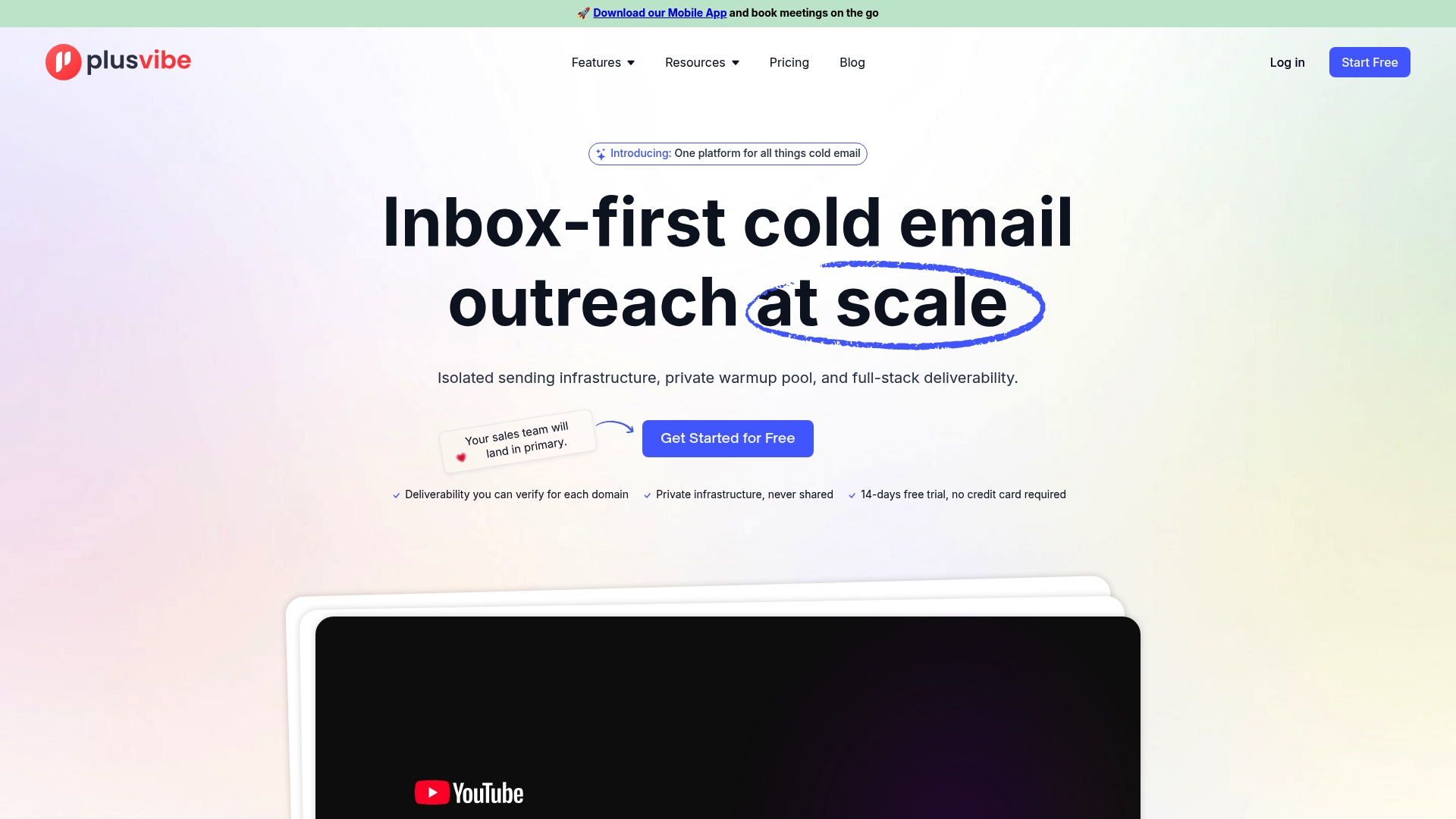
If you send a couple of hundred emails a month, a simpler setup will do. If your pipeline depends on the inbox, the combination of verified lists and a deliverability-focused platform is what keeps results steady as volume grows.
Our view: the address is only the beginning
We built PlusVibe around one belief: the inbox is decided before you hit send. Most of that decision is made by the list.
When teams come to us worried about deliverability, the instinct is to look at the sending side: warm-up, domains, servers. Those matter, and we put a private warm-up pool and isolated infrastructure behind them. But a clean sending setup cannot rescue a list full of guessed addresses. Every bounce is a signal to the provider about who you are.
That is why we treat finding, verifying and sending as one workflow. Outreach should be relevant, honest, respectful and measured. Measured means you check each address, you keep the receipts, and you look at where your emails actually land. We would rather you send 3,000 emails to people who can receive them than 10,000 to a list you hope is right.
Don’t take our word for it. Run a batch through the trial and judge us on placement.
Yaro
FAQ
How do I find a prospect’s email if it is not listed anywhere?
Find the company’s format from two or three named staff addresses on the same domain, then build the prospect’s address and verify it. Do not send until it passes. If the domain is catch-all or the address fails, use a different channel such as phone or LinkedIn.
Is a “valid” result from a verifier safe to send to?
It is much safer than an unchecked guess, but it is not a guarantee. Mailboxes change and provider responses vary, so keep monitoring bounces and re-verify older records. Start a new batch small and scale once the bounce rate stays low.
What should I do with catch-all addresses?
Separate them from verified contacts. Send them in a small batch from a separate mailbox, watch the results, and prefer another channel for your most important accounts. A catch-all result describes the server, not the person.
Is cold B2B email legal in the US?
Yes, under CAN-SPAM you do not need prior consent, but you must follow the rules on accurate headers, honest subject lines, a physical address and honoring opt-outs. The law has no business-to-business exception. Other countries, especially in Europe, have different consent rules.