To scale cold email, add more warmed inboxes and domains instead of pushing more volume through each one. Keep every inbox at a modest daily limit, authenticate every domain, verify your lists, raise total volume in small weekly steps, and watch bounce and complaint signals so you can pause before a problem spreads. Volume is the result of good infrastructure. It is never the starting point.
This guide walks through that approach in the order you would do it: the setup, the warm-up, the ramp, the monitoring, the personalization and the compliance rules that apply in the US.
Key Takeaways
- Scale horizontally. Add warmed inboxes and domains and keep each inbox’s daily volume low, rather than sending more from the same mailbox.
- Warm every new inbox before cold outreach, then raise total volume by roughly 20 to 30% a week at most, and only while your metrics stay clean.
- Verify every list before it enters a sequence, and authenticate each sending domain with SPF, DKIM and DMARC.
- Track hard bounces, spam complaints and inbox placement weekly. Pause and diagnose when they slip instead of sending through it.
- Cold email to businesses is still covered by CAN-SPAM in the US: accurate headers, a physical address and a working opt-out are required.
Table of Contents
- Why cold email breaks when you scale it vertically
- Build the infrastructure first
- Warm up before you send a single cold email
- Clean your lists before they enter a sequence
- Ramp volume in small, steady steps
- Use rotation so no inbox carries the load
- Monitor the signals that matter
- Personalize at scale without writing every email
- Stay on the right side of US rules
- Our perspective
- Put this plan into practice with PlusVibe
- FAQ
- Sources
Why cold email breaks when you scale it vertically
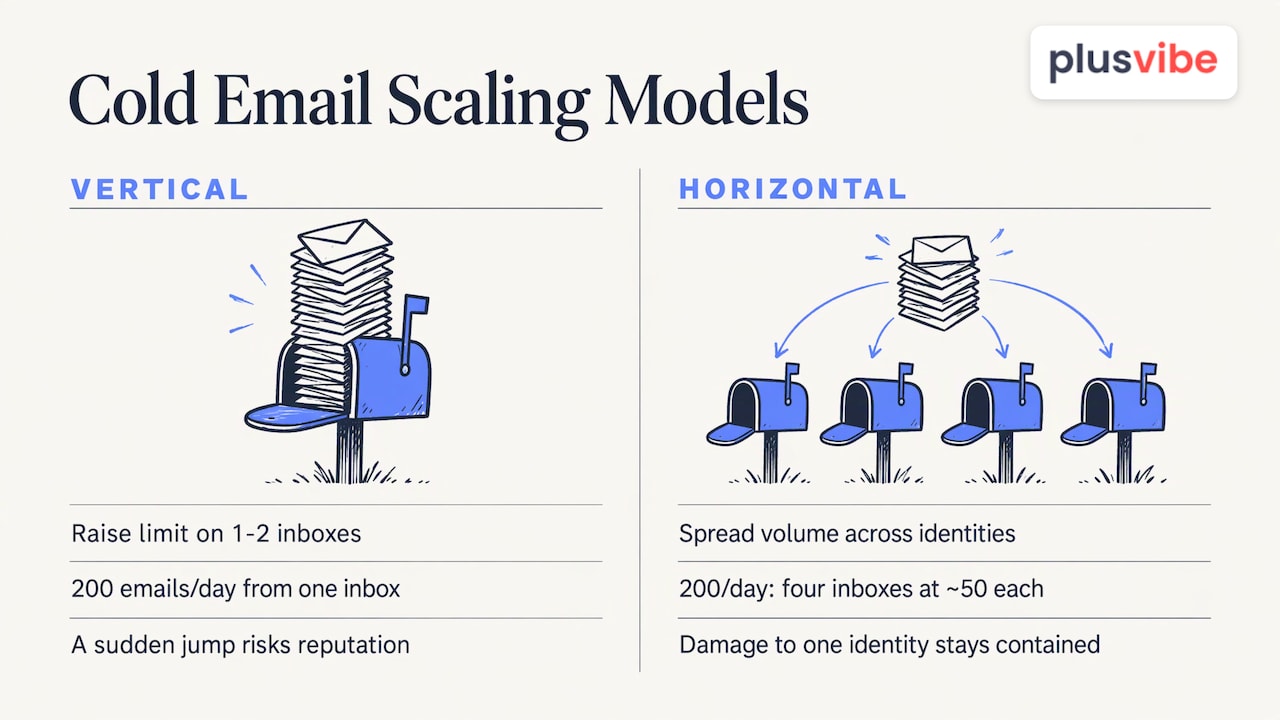
Most teams start with one or two inboxes that perform well, then raise the daily limit to reach more people. That is vertical scaling, and it is where reputation problems begin. Mailbox providers judge behavior, not intent. A sudden jump in volume, a run of hard bounces or a handful of spam complaints is read the same way whether the sender is a careful founder or a spammer, as Suped’s deliverability guidance explains.
The alternative is horizontal scaling. You spread the same total volume across more identities, so no single inbox or domain carries enough to look unusual, and damage to one identity stays contained. It costs more in setup and attention, but it is the pattern that lets a campaign grow from hundreds to thousands of emails a week and stay in the inbox.
A simple way to picture it: sending 200 emails a day from one inbox is a spike. Sending 200 a day from four inboxes at about 50 each is a pattern. One scaling guide uses exactly that example and treats about 50 a day as a ceiling per inbox, not a target.
Build the infrastructure first
Keep cold email off your main domain
Your primary domain carries customer, billing, support and employee email. Repeatable cold outreach should not share it. Use dedicated sending domains that resemble your brand (a few close variations, not random strings) and keep the main domain out of the blast radius. Suped notes that a separate domain limits the damage but does not make poor sending safe, because filters can link related domains through shared links, tracking hosts and redirects. So separate domains are protection, not permission to relax on list quality.
How many inboxes per domain
A common recommendation is 2 to 3 mailboxes per domain. Allston Labs advises against four or more on one sending domain because that pattern resembles bulk-sender signatures that large providers penalize. Use realistic, consistent naming for the people behind the inboxes.
The math is simple. For 400 emails a day at about 40 per inbox, you need ten inboxes, so four or five domains with two or three inboxes each.
| Target daily volume | Per-inbox send | Inboxes needed | Domains (2-3 inboxes each) |
|---|---|---|---|
| 100 | 25 | 4 | 2 |
| 200 | 40 | 5 | 2-3 |
| 400 | 40 | 10 | 4-5 |
| 1,000 | 40 | 25 | 9-13 |
These are planning figures built from the ranges above, not guarantees. Use them to size the setup, then let your own bounce and placement data tell you when to loosen or tighten.
Authenticate every domain
Set up SPF, DKIM and DMARC on every sending domain before the first warm-up email goes out. Without all three, mail sent at volume can be filtered before anyone sees the subject line. Our walkthrough on the tech setup for cold email with SPF, DKIM and DMARC covers the records step by step.
Choose your mailbox provider
Mailbox provider and infrastructure type affect cost and control. With PlusVibe, Google Workspace inboxes are $4 per month per inbox, Microsoft 365 inboxes are $4.50 per month per inbox, and Microsoft Azure is $49 per month per domain. Our platform is built around private, non-shared infrastructure, isolated sending and dedicated connector IPs, which means your reputation is not tied to strangers’ sending habits. Pick the provider mix that matches your volume and the inboxes your prospects use. Spreading across providers is also a way to diversify risk.
If you would rather not configure domains, DNS and inboxes yourself, our done-for-you email setup is available at $1,500 per month.
Warm up before you send a single cold email
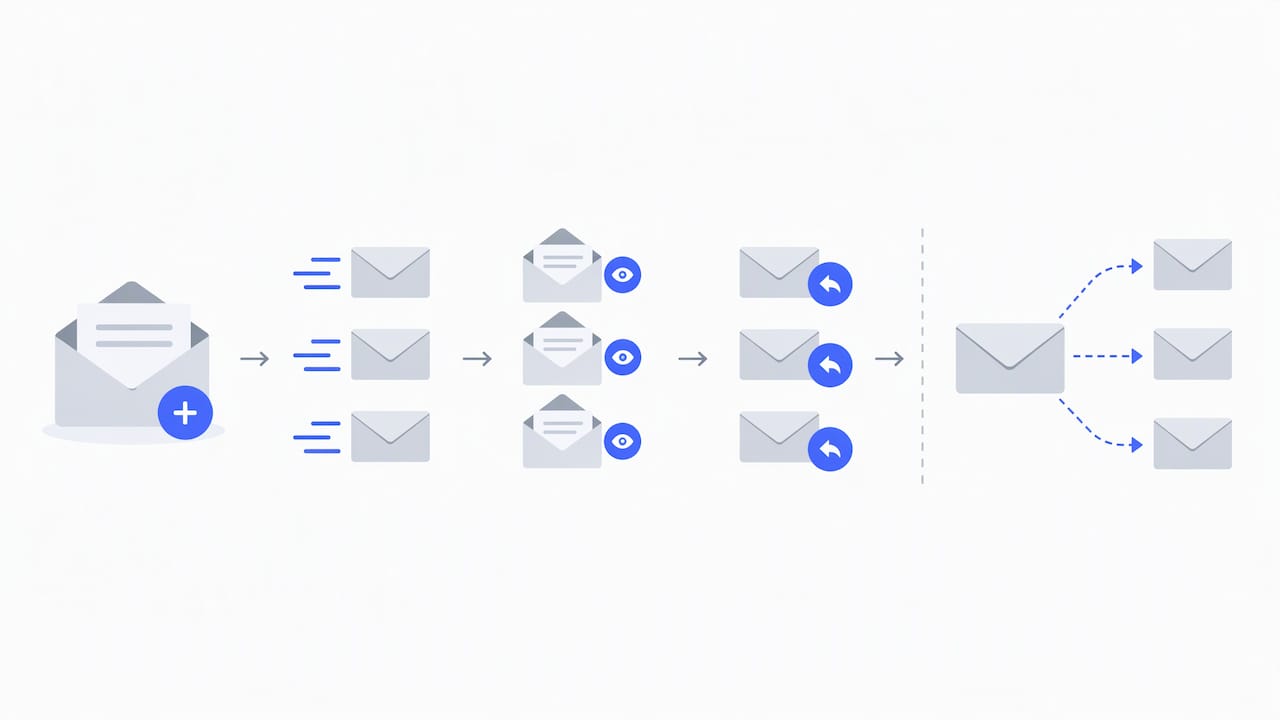
A new inbox has no history. Warm-up builds a pattern of normal sending, opens and replies before cold outreach starts. Skipping it is one of the most common ways to land in spam from day one.
Sources differ on the length. Some guidance calls for at least 14 days. Allston Labs-style setups and the tacticalism scaling guide lean toward 4 to 6 weeks for new inboxes. The safest reading: treat 14 days as the floor, and use three to four weeks for brand-new domains.
A typical warm-up plan, as Mailpool lays it out:
- Days 1 to 7: 5 to 10 emails per day per inbox.
- Days 8 to 14: 10 to 20 per day.
- Days 15 to 28: gradually toward 20 to 40 per day, then begin cold outreach.
Once an inbox is warm, you do not need to keep inflating artificial activity. Maintain its reputation with consistent real sending, and keep a lighter warm-up running if your provider setup recommends it. Our platform runs warm-up on private infrastructure so those signals do not mix with other senders. For the full process, read our guide to warming up a new inbox or domain, and the glossary entry on warm email if the term is new to you.
Clean your lists before they enter a sequence
Hard bounces are the fastest way to damage a young domain, and scaling multiplies them. If 5% of a 500-contact list is invalid, that is annoying. If 5% of a 20,000-contact list is invalid, that is a reputation event.
GrowthMentor’s high-volume guide recommends running bulk verification before contacts reach a campaign, sorting results into valid, invalid and unknown, and deciding what to do with the unknowns. A few habits help:
- Verify at the moment you collect or enrich the contact, and again before launch if the list has aged.
- Treat “unknown” results as a separate segment. Send them slowly from your most established inboxes, or leave them out.
- Remove role addresses and obvious catch-alls unless you have a reason to keep them.
- Suppress anyone who bounced, complained or unsubscribed across all campaigns, not just the one they came from.
For tactics on building a clean audience in the first place, see these strategies to grow an email list. For cleaning an existing one, our posts on email list cleaning practices and list cleaning in 2026 go deeper.
Ramp volume in small, steady steps
Once inboxes are warm, the temptation is to open the floodgates. Resist it. A widely used rule is to raise total sending by no more than 20 to 30% per week and never to double it week over week.
Here is what that looks like starting from 200 emails a day:
| Week | Daily total | Change |
|---|---|---|
| 1 | 200 | Baseline |
| 2 | 250 | +25% |
| 3 | 310 | +24% |
| 4 | 380 | +23% |
| 5 | 470 | +24% |
| 6 | 580 | +23% |
Six weeks takes you from 200 to about 580 a day. Many people see that and feel it is slow. It is the pace that keeps the metrics intact, and it lines up with the warm-up of the inboxes you add along the way. Add new inboxes in batches and warm them in parallel, so capacity is ready before you need it.
Two rules keep the ramp honest:
- Only step up when last week’s bounce and complaint numbers were clean.
- If a step causes a dip, hold at the current level or go back one step. Do not add volume to push through a problem.
Our guide to ramping up email sending without hurting deliverability and the explainer on Google and Microsoft sending limits help you pick limits that fit each provider.
Use rotation so no inbox carries the load
Inbox rotation distributes a campaign’s sends across your connected inboxes so each one stays within its limit. It also means that if one inbox is paused for recovery, the campaign keeps running on the others. Combined with sequencing that staggers sends across the day, you avoid bursts that look automated.
A few practical settings:
- Set a per-inbox daily cap, and lower it for newer inboxes.
- Space sends with random delays instead of firing in batches.
- Keep sequences short and relevant. Each additional follow-up multiplies exposure to complaints.
- Group inboxes by domain age, so your newest ones carry the lightest volume.
You can see how this works in our sequencing and automation features.
Monitor the signals that matter
Scaling without monitoring is guessing. Check these weekly at minimum, and daily during a ramp.
| Signal | What to watch |
|---|---|
| Hard bounce rate | Keep it low. One benchmark puts anything above 2% as active risk |
| Spam complaint rate | Stay under 0.10%, the level the same source ties to Gmail flagging |
| Authentication pass rate | SPF, DKIM and DMARC should pass every time |
| Inbox placement and spam-folder rate | Test seed addresses across providers |
| Reply rate and positive reply rate | A sudden drop often shows up before bounces do |
Volanea’s metrics guide also lists delivery rate, provider-specific errors and domain reputation as worth tracking where you have visibility.
When something worsens, work through this order:
- Pause the affected inbox or domain, not the entire program.
- Check authentication first, then the most recent list for bounces.
- Review copy, links and tracking domains for anything that changed.
- Reduce volume and lean on warm, healthy inboxes while the weak one recovers.
- Resume at a lower level and climb again in small steps.
Placement testing helps here because it shows where mail lands before a campaign is affected. PlusVibe offers Email Placement Test plans at $19 per month (Starter), $39 per month (Growth) and $89 per month (Scale). Our article on deliverability monitoring explains how to catch drops early.
Personalize at scale without writing every email
More volume should not mean more generic messages. Generic copy produces fewer replies and more complaints, which works against everything above. The approach that scales is to define your ideal customer profile, choose the signals that indicate a real need (a hire, a funding round, a new tool, a job post), assemble context when a signal fires, and draft outreach tied to that trigger. Salesmotion’s outline has a person review the draft before it goes out.
In practice:
- Segment small. A list of 150 people who share a specific problem beats 5,000 who share a job title.
- Use enrichment to fill in role, company and context fields, then write one or two lines that reference them in a way a human would.
- Keep the first email short, with one clear ask.
- Test one variable at a time, such as the opening line or the call to action, so you learn something.
Our glossary explains lead enrichment and lead qualification if you are formalizing this part of the process.
Stay on the right side of US rules
Cold email to businesses is not exempt from law. According to the FTC’s CAN-SPAM compliance guide, the law covers all commercial messages and makes no exception for business-to-business email. Its requirements include accurate header information, subject lines that reflect the content, clear identification of the message as an ad, a valid physical postal address, and a clear way to opt out. Opt-out requests must be honored, and you remain responsible for what others send on your behalf.
Build these into your templates and your suppression process from the start, so scaling does not outrun compliance. Other countries have different rules, often stricter on consent, so check the law of each market you target before you send there.
Our perspective
Teams usually come to us after scaling the wrong way: more volume from the same few inboxes, a bounce spike, then a domain that stops reaching anyone. The fix is almost never a cleverer subject line. It is infrastructure.
We built PlusVibe around that idea. Private warm-up on non-shared infrastructure, isolated sending, dedicated connector IPs, inbox rotation and deliverability monitoring are designed to work together, so adding capacity means adding warmed inboxes, not taking on more risk. Our aim is a platform that is simpler to run than the alternatives and transparent about what is happening to your sender reputation.
If you plan to grow outbound, decide your inbox and domain count first, warm them properly, verify your data, and raise volume in small steps. We have seen that discipline beat any shortcut, and we designed the product to make it routine.
Yaro
Put this plan into practice with PlusVibe
If you are sending from a handful of inboxes today and want to grow, PlusVibe gives you warm-up, rotation, verification, sequencing and monitoring in one place. The Personal plan is $37 to $58 per month, Business is $77 to $220 per month, and Agency starts from $497 per month for teams running many client inboxes. A free trial lets you set up your first campaign before you commit.
See every option on the plans page, or start from PlusVibe and connect your first inboxes.
FAQ
How many cold emails can I send per day per inbox?
Sources vary. Some guidance caps cold sending at about 20 per inbox per day, while others treat 50 as the upper ceiling. Start low, especially on new inboxes, and raise only while bounce and complaint rates stay clean. Our post on Google and Microsoft sending limits covers provider limits.
How long does it take to scale from 200 to 1,000 emails a day?
With a weekly increase of 20 to 30%, roughly eight to ten weeks, plus the time to warm the extra inboxes. Warm new inboxes in parallel so capacity is ready when each step arrives. Hold the pace if any week shows rising bounces.
How many domains do I need to scale cold email?
Plan on 2 to 3 inboxes per domain. At about 40 emails per inbox per day, 1,000 daily emails needs about 25 inboxes, so nine to thirteen domains. Add a few spare inboxes so you can rest any that show problems.
What should I do when my bounce rate rises?
Pause the affected inbox, check authentication, and re-verify the most recent list. Resume at lower volume once the cause is fixed, and climb again in small steps. A bounce rate above 2% is generally treated as a warning sign.
Sources
- Suped: cold email best practices and deliverability
- Tacticalism: how to scale cold email without killing deliverability
- Allston Labs: multiple mailboxes for cold outbound
- Mailpool: how to warm up email accounts properly
- GrowthMentor: high-volume cold email
- Baby Love Growth: how to grow an email list
- Mailer To Go: email API monitoring metrics and benchmarks
- Volanea: email deliverability metrics
- Salesmotion: personalizing cold outreach at scale
- FTC: CAN-SPAM Act compliance guide for business